
Why move-based programming matters
Move-based programming offers a distinct approach to building secure smart contracts by treating digital assets as scarce, traceable resources rather than simple data types. Unlike traditional languages like Solidity or Rust, which require complex workarounds to prevent common vulnerabilities, Move enforces safety at the compiler level. This resource-oriented design ensures that digital tokens cannot be duplicated, copied, or discarded accidentally, addressing the root causes of many blockchain exploits.
The language was originally developed by Meta for the Diem blockchain, now open-source and powering networks like Sui. This origin story is significant because it means Move was built to handle high-volume financial transactions with strict consistency requirements from day one. As Sui.io describes, Move enables "safer logic, rich composability, and scalable design," making it a preferred choice for developers prioritizing security over flexibility.
This foundational difference shifts the developer's focus from manually auditing every line for reentrancy or overflow errors to structuring logic that the language inherently prevents from failing. By making resource safety a core feature rather than an afterthought, move-based programming reduces the attack surface significantly. For projects where financial stakes are high, this built-in rigor provides a stronger baseline for trust than languages that rely heavily on external auditing tools.
Set up the move-based programming environment
Before writing your first smart contract, you need the official Move toolchain. This setup provides the compiler, the Move CLI, and the necessary dependencies to build, test, and deploy move-based programming projects. The process is straightforward and takes about ten minutes on a modern machine.

Move is written in Rust, so you must install Rust first. Run the standard installation script for your operating system. Ensure your PATH environment variable includes the Cargo bin directory so you can access cargo and rustc from your terminal.

The Move Compiler and CLI are distributed as a Rust crate. Install them globally using Cargo:
cargo install --git https://github.com/move-language/move move-commandline-common
This command fetches the latest stable version from the official Move GitHub repository.
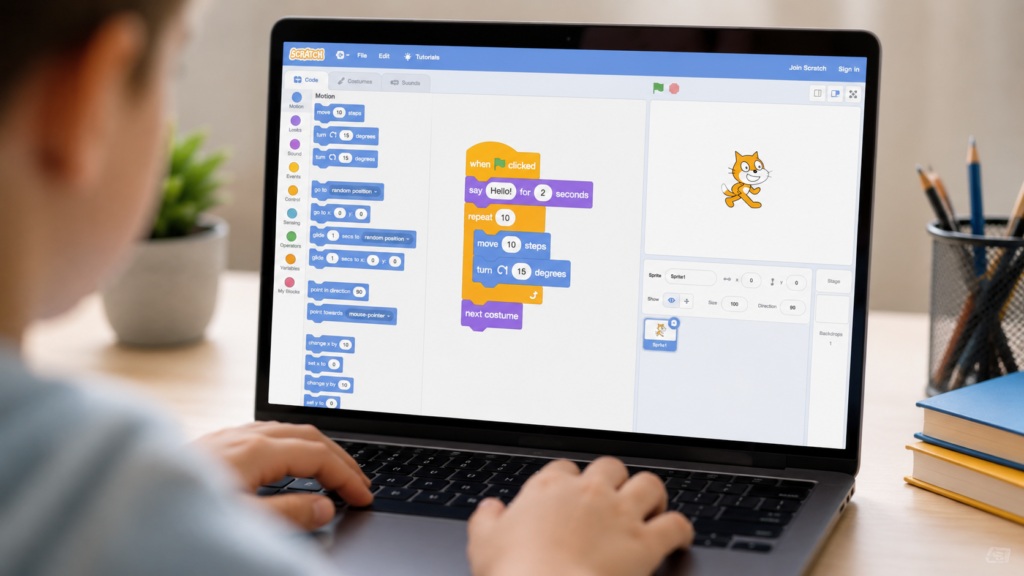
Navigate to your workspace directory and create a new Move package. This command sets up the standard folder structure, including the sources directory where your .move files will live.
move init
You will be prompted to enter a package name. Keep it simple and lowercase.
Run a basic compilation to ensure everything is connected correctly. The compiler should process the default template files without errors.
move check
A successful run confirms your move-based programming environment is ready for development.
Write your first move-based program
Move-based programming centers on one powerful concept: first-class resources. Unlike standard tokens that can be copied or duplicated, resources in Move act like physical objects. They cannot be cloned and cannot be thrown away. This design ensures that assets within your smart contract maintain their integrity by design, eliminating entire classes of bugs related to accidental duplication or loss.
To see this in action, we will build a simple contract that defines a custom resource and implements a transfer function. This example demonstrates how Move enforces ownership and movement rules at the language level.
Start by defining a new struct. In Move, you mark a struct as a resource using the resource ability. This tells the compiler that any instance of this struct is unique and cannot be copied. For example, a Coin struct might hold a value field. Once marked with resource, the Move compiler prevents any code from duplicating that struct, ensuring that every coin exists exactly once in the system.
Next, write a function that moves the resource from one account to another. Move functions are strict about what they do with their inputs. If a function takes a resource as an argument, it must either return it, store it, or destroy it explicitly. This prevents the resource from simply disappearing into thin air. A transfer function typically accepts the sender's signature and the recipient's address, then moves the resource to the recipient's storage.

Finally, ensure that only the rightful owner can initiate the transfer. Move uses capability-based access control to manage who can interact with specific resources. By requiring the sender to prove ownership (usually via a signature or a stored capability), you guarantee that unauthorized parties cannot move assets. This layer of security is built directly into the Move type system, making it difficult to bypass even for experienced developers.
By following these steps, you create a move-based program that is inherently secure against common vulnerabilities. The Move language's strict resource model means that once you define your assets correctly, the compiler does the heavy lifting to keep them safe.
Test and deploy move-based contracts
Testing move-based contracts requires a different mindset than traditional smart contract development. Because Move enforces strict ownership and resource safety at the language level, many common vulnerabilities are caught during compilation. However, runtime logic errors, such as incorrect access control or unexpected state transitions, still require rigorous unit testing.
This section outlines the standard workflow for validating your Move code before it touches a blockchain. We will cover setting up the test environment, writing effective unit tests, and executing the deployment process to either a testnet or mainnet.
Move uses the Move Prover and the move test command for local verification. Ensure your project includes the std and sui framework dependencies in your Move.toml file. Run move check to verify syntax and type safety before writing any tests. This step catches resource misuse, such as copying or dropping assets that should be unique, at compile time.
-
Verify `Move.toml` dependencies are up to date
-
Run `move check` to confirm no compilation errors
-
Ensure local Sui node or simulator is accessible
Use the #[test] and #[test_only] annotations to create unit tests. Focus on verifying that resources are correctly initialized, transferred, and destroyed. Test edge cases where users might attempt to bypass access controls or interact with uninitialized objects. Move’s type system ensures that resources cannot be copied or dropped accidentally, so your tests should verify that only authorized functions can move these assets.

Execute move test to run all unit tests in your project. Review the output for any failures or warnings. If tests pass, the logic adheres to the specified invariants. For higher assurance, consider running the Move Prover to mathematically verify critical safety properties, such as invariant preservation across state transitions. This step is essential for high-stakes contracts where manual review is insufficient.
A passing test suite does not guarantee security. Ensure your tests cover all public entry functions and edge cases. Aim for high branch coverage to identify potential logic flaws before deployment.
Before mainnet deployment, deploy to a Sui testnet. Use the Sui CLI to publish your package: sui client publish --gas-budget 50000000. This creates a package ID and object IDs for your initial objects. Verify that the contract functions correctly in a live environment, interacting with other contracts and users. Testnet deployment helps catch network-specific issues and gas estimation errors.
Set an appropriate gas budget. Too low, and the transaction fails; too high, and you waste resources. Monitor actual gas usage during testnet deployments to refine your estimates for mainnet.
After successful testnet validation, conduct a final security audit. This can be an internal review or a third-party audit for high-value contracts. Once approved, deploy to the Sui mainnet using the same CLI commands. Monitor the initial transactions closely to ensure the contract behaves as expected under real-world conditions. Keep your source code and build artifacts accessible for future upgrades or verification.
Common move-based programming mistakes
Beginners often struggle with Move’s strict ownership rules, leading to compilation errors or unintended resource loss. Understanding these pitfalls early prevents costly bugs in secure smart contracts.
Losing track of resource ownership
Move treats resources as unique, non-droppable objects. A common error is forgetting to destroy a resource when it’s no longer needed or failing to transfer it correctly. If you hold a resource without using or dropping it, the compiler will reject the code. Always ensure every resource path ends in a destroy or a transfer to another account.
Misusing the object data model
Another frequent mistake is misunderstanding how objects are stored and accessed. Developers sometimes try to mutate object fields directly as if they were standard structs. In Move, you must use the object module’s functions to interact with stored objects. Direct field access is restricted to maintain safety and consistency.
Ignoring module upgrade limits to account for
Move modules have specific upgradeability rules. Beginners often assume they can change module signatures freely. However, certain changes break existing state or compatibility. Always consult the official documentation on module upgrades to ensure your changes align with the platform’s versioning policies.
Forgetting to check for existence
When interacting with stored data, assuming an object exists can cause runtime errors. Always use exists() checks before attempting to load or modify an object. This simple step prevents crashes and ensures your contract behaves predictably under all conditions.
No comments yet. Be the first to share your thoughts!